
A planbook for K-12 teachers
Built for the week that falls apart.
Snow day. Assembly. An early release on the Wednesday you planned to the minute. TeachDay moves every class to its next meeting, shows you exactly what will move before it does, and takes it all back if you change your mind.
Coming from PlanbookEdu or Planbook.com? Bring your plans with you.
Tuesday, 7:40 a.m. Your week is planned.
What TeachDay does
01
Moving plans takes one click
Push a lesson, a class or a whole day. Absorb a snow day. Change Wednesday to an early release. Every class moves to its own next meeting on your real rotation, A/B and six-day cycles included, and you see the whole list before you commit. Pinned lessons stay put. Anything can be undone.
More about it: Moving plans takes one click02
Standards as a running tally
Tag lessons with your state’s standards as you plan. TeachDay keeps the count of what is taught, scheduled and missing, and tells you about a gap while there are still weeks to fix it, not in May.
More about it: Standards as a running tally03
Planning is a team sport
Share a read-only link with your principal or a sub. Plan a unit once with your grade-level team and let it flow onto each teacher’s own calendar. Edit together, live, and leave comments that are still there next week.
More about it: Planning is a team sport
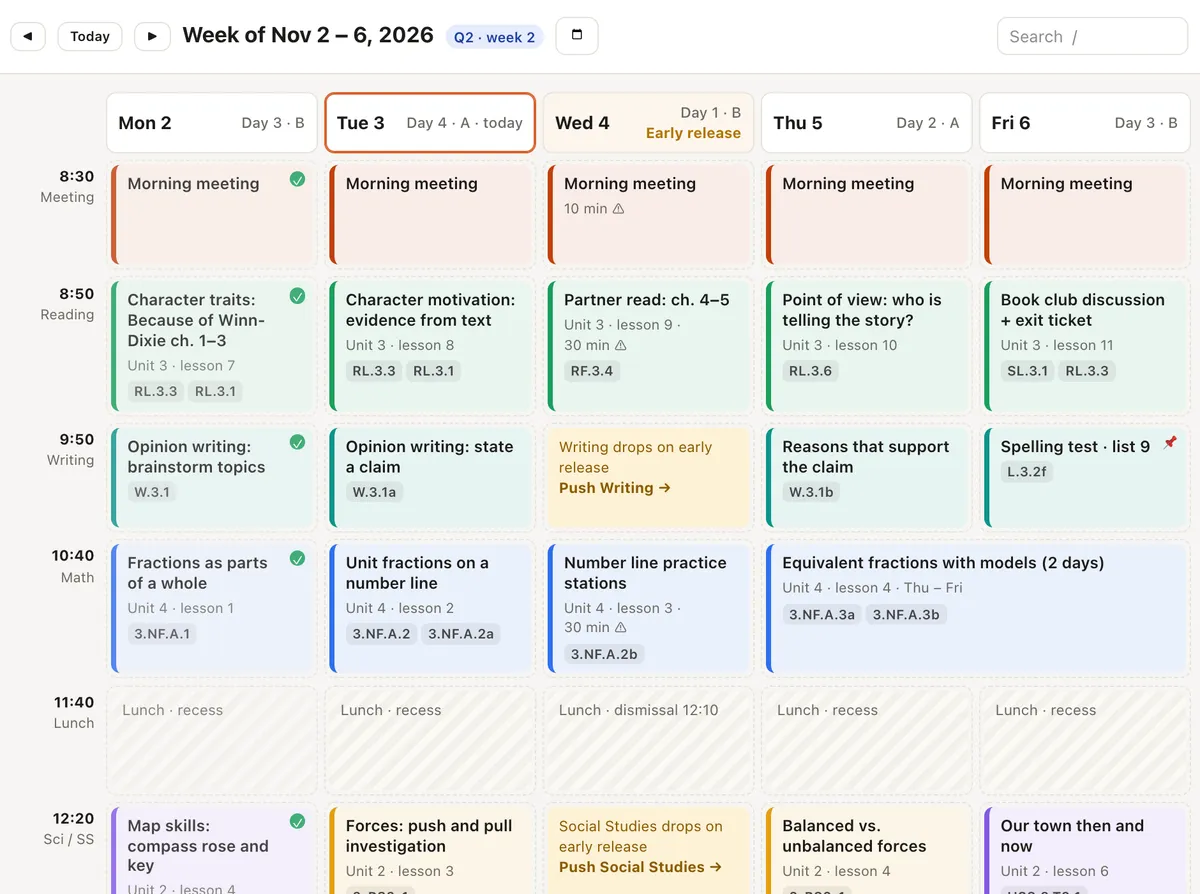
The schedule you actually teach
Your bell schedule, your rotation (weekly, A/B or a numbered cycle), half days and testing days, holidays and the snow-day rule your district uses. Lessons live in order for each class and flow onto the days that class meets, so a change on Tuesday ripples the right way through every class at once.
When the school calendar changes, the week shows you which classes it touches and offers to push them.
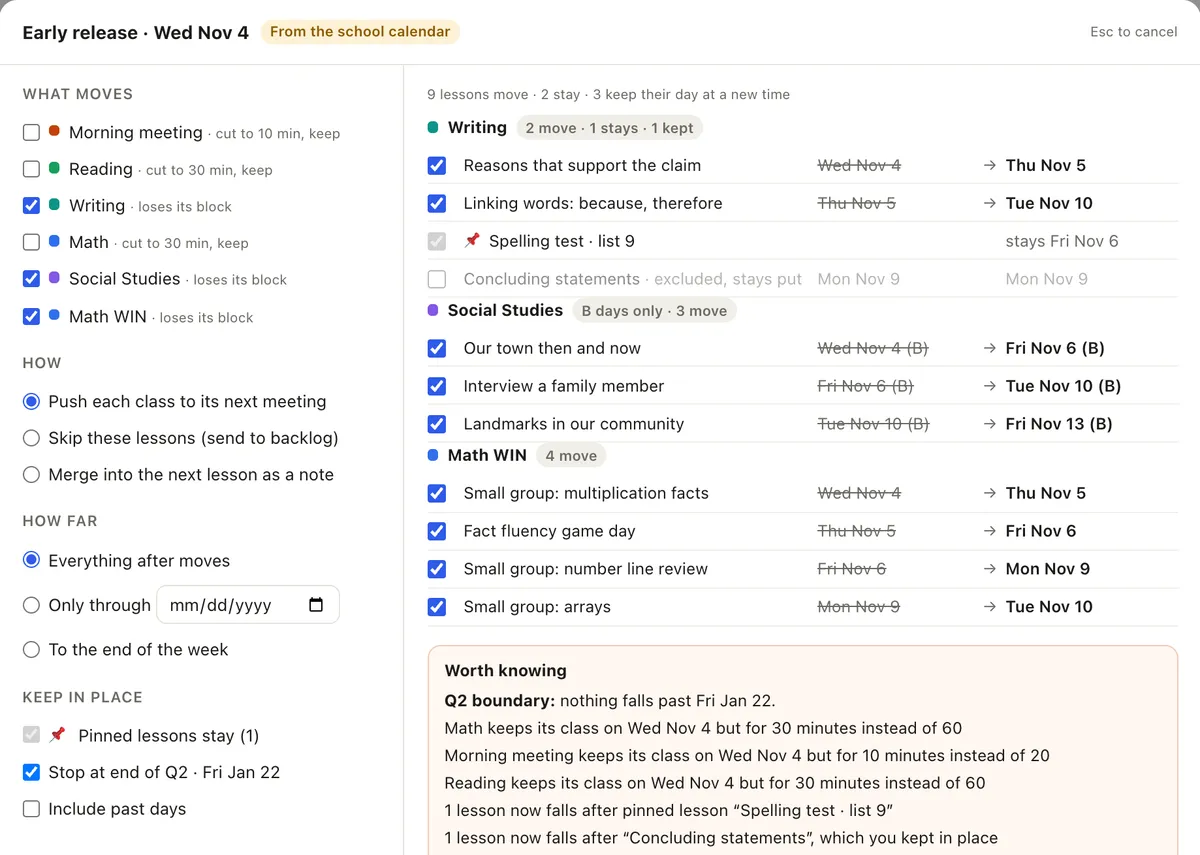
Nothing moves without a preview
Tick the classes that move. Leave out a lesson that should stay. Stop at the end of the quarter. TeachDay lists every lesson with its old date and its new one, warns you about a lesson that would cross the end of the quarter or land after a pinned one, and only then makes the change.
It is one change in History, with one Undo. Pulling lessons back never deletes one.
The week was never going to go to plan.
Teachers plan on Sunday night and re-plan by Tuesday. A fire drill eats math. Picture day moves reading. The district calls a two-hour delay at 5:40 in the morning. Most planbooks treat all of that as your problem: drag each lesson by hand, one class at a time, and hope nothing falls off the end.
TeachDay starts from the other end. It assumes the week will change, so changing it is the easy part. The calendar is the truth, the sequence is the plan, and the app keeps the two lined up for you. You stay in charge of every move; it does the re-dating.
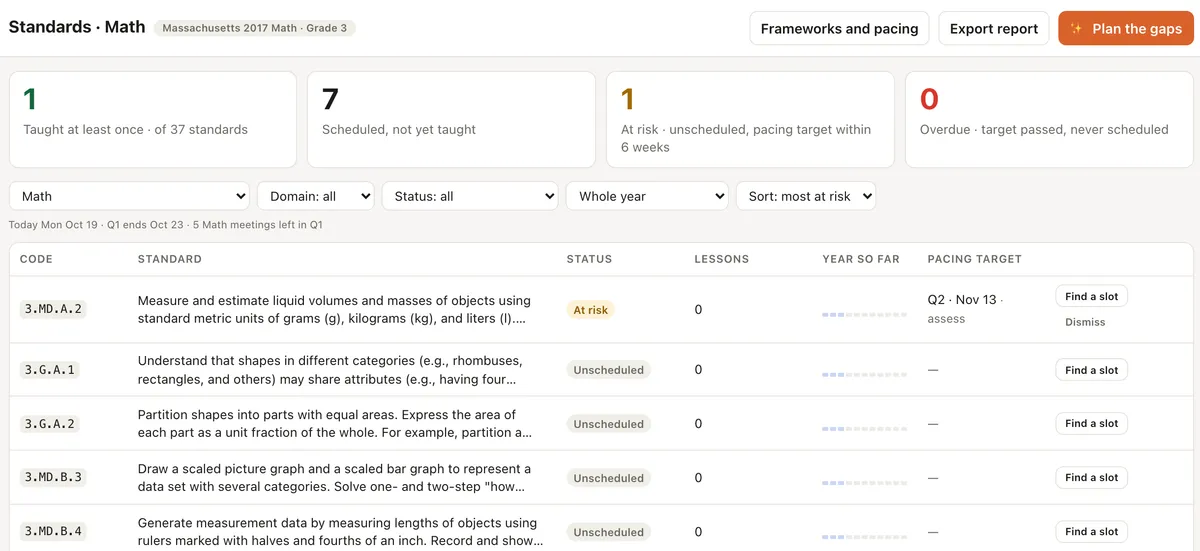
Standards, counted as you go
Common Core, NGSS, Texas and Massachusetts frameworks are built in. Tag a lesson with the standard it introduces, practises or assesses, and the tally keeps itself. Find a slot for a standard that has none. Export the report your principal asks for.
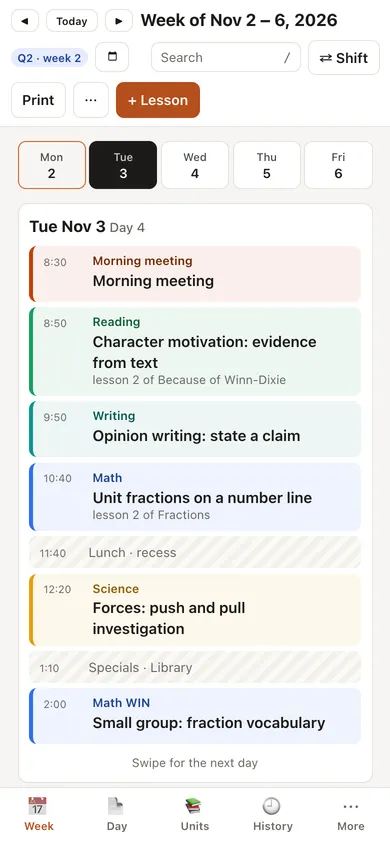
On a phone between classes, one day at a time. On a Chromebook, the whole week.
Boring where it should be
Printing that looks right
A week, a day, a date range or one lesson on paper, the way your principal wants it.
Sub plans in two minutes
A packet with your routines, where things are, and the days you will miss.
Yours to take with you
Export every planbook as PDF, Word, CSV and JSON. On every plan, any time.
No student data
TeachDay holds lesson plans, not rosters or grades, so you can start without asking anyone.
Plan this week. Fix next week in one click.
Free for one planbook, for as long as you like. Pro is $4 a month or $36 a year when you want more.
See pricing